
A reliable connection is essential when using an aviation headset. A Bose headset may provide excellent audio and communication performance, but a damaged, loose, or worn connector can prevent the equipment from working correctly. When pilots begin experiencing intermittent audio, microphone problems, or connection failures, Bose headset connector repair may be an important part of troubleshooting the issue.
The connector is the point where the headset communicates with the aircraft’s audio system, making its condition particularly important. Fortunately, a connection problem does not automatically mean that the entire headset needs to be replaced. Identifying the source of the problem can help determine whether the connector needs cleaning, servicing, replacement, or professional repair.
Understanding Why the Connector Is Such an Important Part of a Bose Aviation Headset
A headset connector provides the physical and electrical connection between the headset and the aircraft. During normal use, it is repeatedly inserted, removed, and handled, which means it can experience mechanical wear over time.
A connector that is bent, loose, damaged, or not making proper contact can cause audio interruptions or microphone issues. In some situations, the problem may appear to be an electronic failure when the actual cause is simply an unreliable connection.
For this reason, checking the connector should be part of the initial troubleshooting process whenever a Bose aviation headset begins behaving unexpectedly.
Intermittent Audio Can Be One of the First Signs of a Connector Problem
One of the most noticeable symptoms of a connector issue is intermittent sound. The headset may work normally and then suddenly lose audio when the cable or plug moves.
Pilots may also notice static, reduced sound in one earcup, or audio that returns after reconnecting the headset. These symptoms can indicate a poor connection, although the cable, aircraft jack, or internal headset electronics can produce similar behavior.
If moving the connector changes the audio, the connection should be inspected carefully rather than repeatedly used in that condition.
Microphone Problems Can Also Point Toward a Bose Headset Connection Issue
The connector does not only carry incoming audio. Depending on the headset and aircraft configuration, it also plays a role in microphone communication.
If a pilot can hear other communications but cannot transmit reliably, or if microphone operation cuts out intermittently, checking the headset connection is worthwhile.
A loose or damaged connector can interfere with communication even when the microphone itself is functioning correctly. Testing the headset with an appropriate aircraft connection can help determine whether the problem follows the headset or remains with the aircraft system.
Inspecting the Bose Headset Connector Before Attempting a Repair
A careful visual inspection is a useful first step. Look for bent contacts, damaged housing, excessive movement, cracks, dirt, or other physical abnormalities.
The cable near the connector should also be examined because repeated bending can damage the wiring close to the connection point. A connector that appears normal may still have an internal wiring issue.
Do not force a connector into an aircraft jack. If it does not insert smoothly, stop and inspect both sides of the connection. Excessive force can cause further damage.
Cleaning and Proper Handling May Resolve Some Minor Connection Problems
Not every connection issue requires component replacement. Dirt or debris around a connector can interfere with proper contact, particularly when equipment is frequently used in different environments.
Cleaning should be performed carefully and according to appropriate equipment-care guidance. Avoid using unsuitable liquids or tools that could damage the connector.
Handling is equally important. Always disconnect the headset by gripping the connector rather than pulling on the cable. Repeatedly pulling on the wire can place stress on the connection point and eventually contribute to failure.
Knowing When a Bose Headset Connector Needs Professional Repair
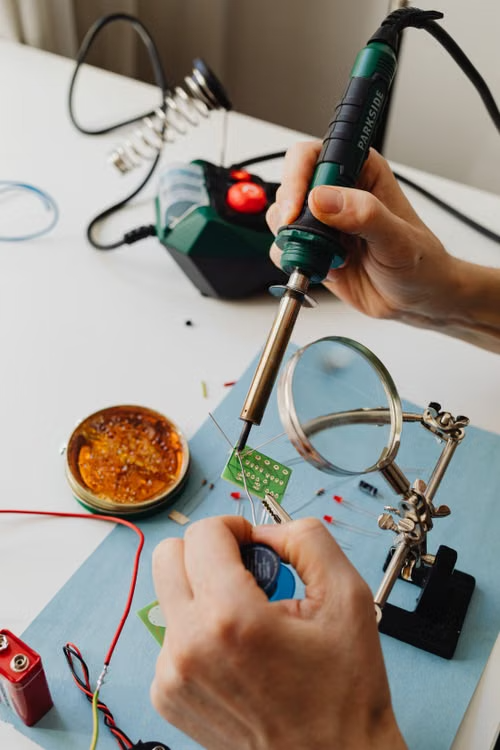
Some connector problems can be addressed through straightforward replacement, while others may involve internal wiring or electronic components.
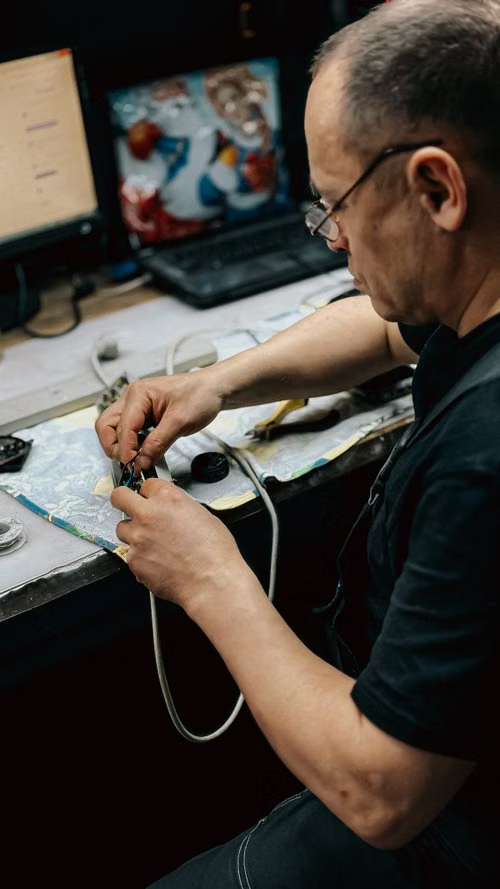
If the connector is physically damaged, loose inside its housing, or connected to internal headset circuitry, professional repair may be appropriate. Attempting to disassemble a Bose aviation headset without the necessary technical knowledge can create additional problems.
Professional inspection can help determine whether the connector itself is faulty or whether the issue originates elsewhere in the headset or aircraft.
Bose Headset Connector Replacement Depends on the Specific Model and Configuration
Bose produces several aviation headset models, and their connection systems are not necessarily identical. A connector designed for one Bose headset should not automatically be assumed to work with another.
Before searching for a Bose headset connector replacement, identify the exact headset model and existing connector configuration. This is especially important when dealing with aviation headsets that may have different cable arrangements or aircraft connections.
Checking compatibility before purchasing a replacement can prevent installation issues and help ensure that the headset continues to function as intended.
Getting the Right Bose Headset Connector Repair Starts With Identifying the Actual Fault
A connection problem should be diagnosed before a replacement component is ordered. Symptoms such as intermittent audio or microphone failure can originate from several different components.
Inspect the connector, cable, aircraft jack, and headset connections carefully. If the problem remains unclear or appears to involve internal electronics, professional service may be the most appropriate option.
For pilots searching for Bose headset connector repair, the goal should be more than simply restoring a physical connection. The repaired headset should provide stable audio and dependable communication when it is needed.
With careful troubleshooting, compatible replacement components, proper repair techniques, and good handling practices, many connector-related problems can be addressed without replacing an otherwise functional Bose aviation headset.
